
Help & FAQ

Capturo Studio is studio management software for photographers: enquiries, quotations, bookings, invoices and client galleries in one place, with live event galleries and AI face search. These are the questions photographers ask before they start.

The basics

What is Capturo Studio?

Capturo Studio is studio management software for photographers. It keeps enquiries, quotations, bookings, invoices, contracts and client galleries in one place, and adds live event galleries and AI face search so guests can find their own photos.

Who is Capturo Studio for?

Capturo Studio is built for wedding, pre-wedding, event and portrait photographers and for photography studios in India, from a single freelancer to a studio with a team and more than one branch.

Is there a mobile app?

Yes. Capturo Studio has an Android app, downloaded from studio.capturo.in/download, that uses the same account as the website. On an iPhone or a computer, Capturo Studio runs in the browser.

How do I get started?

Create a free account at studio.capturo.in, add your studio details, and create your first gallery or enquiry. The how-to videos on this page walk through each step in under two minutes.

Galleries and face search

How do guests find their own photos?

Guests open the gallery link or scan its QR code, take a selfie, and see every photo they appear in. The selfie is used only for that search and is not saved, and the photographer does not have to send photos to each guest.

Can photos appear in the gallery during the event?

Yes. A Canon, Sony or Nikon camera with WiFi can send each photo straight to a live gallery as it is shot, with no laptop in between. Several cameras can feed the same gallery.

Where are my photos stored?

You can store photos in your own Google Drive. Connect one or more Drives; when the first fills up, uploads move to the next. Photos kept in your Drive stay in your Google account and do not count toward your Capturo plan storage.

What does AI culling do?

AI culling sorts a shoot before you look at it. Blurry frames, closed eyes and near-duplicates are set aside, so you review the keepers instead of every frame.

Can clients select photos and approve an album online?

Yes. Clients pick their photos from the gallery, and album designs are shared for approval online, so selection and proofing happen without files going back and forth.

Running the studio

How does Capturo Studio handle enquiries and quotations?

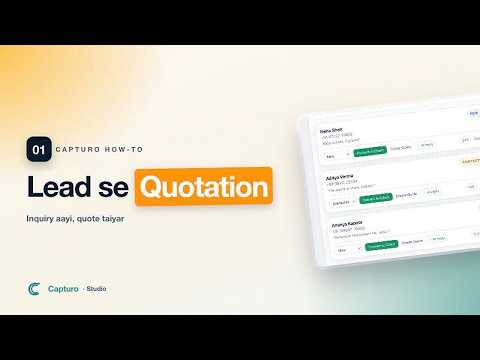
Every enquiry lands in one list. From there you turn it into a client, send a quotation as a link, and the client accepts it with one tap.

Does it send payment reminders automatically?

Capturo Studio drafts the reminder when an invoice is overdue, and you approve it before it goes out. Nothing is sent to a client without your approval.

What does the client see?

Each client gets one portal link that holds their booking, quotation, invoices and gallery, so they can find a document without asking you to resend it.

Can I use contracts and take signatures online?

Yes. Contracts and questionnaires are sent as a link and signed on the client's phone.

Can my team use it?

Yes. You add staff with roles that decide what each person can see and do, and a studio with several branches can run them from one account.

Pricing

How much does Capturo Studio cost?

Capturo Studio has a free plan, and paid plans start at ₹799 a month. New accounts get every feature free for the first two months. The current plans are listed at studio.capturo.in/pricing.

Do I need a credit card to start?

No. You can create an account and use the two-month trial without a credit card.

How-to videos

One task per video, each under three minutes. Narration is in Hindi.

Still have a question?

Write to info@capturo.in or see the contact page.

Start free